
.svg)


How do restaurants choose software for mobile inventory counting?
How do restaurants choose software for mobile inventory counting? Compare the features that matter, offline mode, scanning, POS sync, and what to test first.
Restaurants choose software for mobile inventory counting by weighing the features that make a count fast and accurate on the floor: an app that works offline, scans barcodes, follows your kitchen's layout, lets several people count at once, and syncs with the POS and invoices so it calculates variance for you. Then they test it with their real menu during a normal week before committing. The right mobile inventory counting software is the one your team will actually use every week, not the one with the longest feature list.
Counting is the part of inventory nobody looks forward to, but it's also the part that decides whether your food cost numbers are accurate. Good software doesn't make the counting disappear. It takes out the slow, error-prone parts: the clipboard, the second trip to type it into a spreadsheet, and the calculations at the end. The trick is knowing which features actually matter on the floor. Here's what to look for.
Key takeaways
- It works offline. Walk-ins and basements can kill wifi, so insist on a true app, not a mobile website that dies with the signal.
- Scanning and count sheets in your order are what actually make a count fast.
- Multiple people counting at once lets a team split the work and finish before the shift starts.
- POS and invoice integration is what turns a raw count into usable food cost and variance.
Plantilla de hoja de inventario de restaurante
Agilice la gestión del inventario de su restaurante con nuestra plantilla de hoja de cálculo de inventario de restaurante completa y gratuita. Simplifique el seguimiento del inventario y asegúrese de que su cocina funciona sin problemas todos los días.
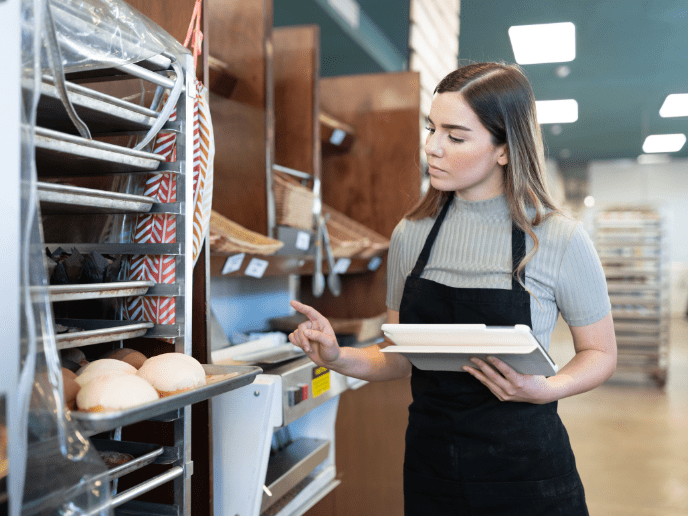
What is mobile inventory counting software?
Mobile inventory counting software is a phone or tablet app your team uses to record how much stock is on hand during an inventory count. Instead of writing numbers on a printed sheet and typing them into a spreadsheet later, you enter or scan them once, on the shelf, and the software stores and calculates everything for you.
Most good options are not just a counting tool on their own. They're the mobile front end of a larger inventory management platform that also handles purchasing, invoices, and recipe costing. The counting app is the part your line staff touch every week, which is exactly why it deserves the closest look before you buy.
Why count on software instead of paper or a spreadsheet?
Counting on software is faster, more accurate, and it hands you the numbers the moment you finish, instead of days later. Paper and spreadsheets share the same three problems: someone has to enter every number twice, mistakes creep in during that second entry, and the count sheet can get lost or coffee-stained before it ever reaches a computer.
Software removes the double entry entirely. It also lets you count more often without dreading it, which matters because how often you count is what keeps your food cost accurate. And because the app already knows your recipes and your sales, it can turn the count into a variance number on the spot, showing you what should be on the shelf versus what actually is.
What features should mobile inventory counting software have?
The features below separate software your team uses from software that gets abandoned after a month. Weigh each one against how you actually count, not against a spec sheet.
Offline mode (a true app, not a mobile website)
This is the one people forget until it burns them. Your most valuable stock lives in the walk-in and the basement, exactly where wifi may not reach. Insist on a true app that installs on the phone and keeps working with no signal, then syncs when you are back online. A "mobile" tool that is really just a website in a browser will freeze the moment the bars disappear, which is useless where it matters most. Test this before anything else.
Barcode and shelf-label scanning
Scanning is what makes a count fast. Good software uses the phone camera to scan barcodes or your own shelf labels, so you are not scrolling a long list hunting for the right item. Test the scanner in poor lighting, because a walk-in is dim and a scanner that needs perfect light will slow you right down.
Count sheets that match your kitchen
The fastest count follows the physical layout of your storage, not an alphabetical list. Look for software that lets you build count sheets in the order you walk your shelves, split them by area (walk-in, dry storage, bar), and run a partial count when you only need to check one section. Counting the walk-in on its own on a busy day, without wading through the whole list, is the kind of small thing that decides whether the count actually gets done.
POS and invoice integration
This is where counting software earns its keep. When it connects to your POS and your invoices, it already knows what you sold and what you bought, so it calculates usage and variance for you. The best tools go further and keep your count sheets current on their own, adding new items and updating prices straight from your invoices, so your sheets never quietly go stale. Without that link, you have a faster way to collect numbers but still no easy way to know what they mean.
Real-time variance, history, and reporting
Finally, the software should show you the result while it still matters. Live variance by item, a running food cost, and a saved history of past counts let you compare this week to last and spot a problem the same day instead of at month-end. Good inventory technology turns the count from a chore you file away into a number you act on.
Mobile software vs. spreadsheet: a quick comparison
Where software really pulls ahead is the connection between counting and everything else. MarketMan, the AI-powered restaurant inventory management platform, is used by 15,000+ restaurants and counts on a phone or tablet, works offline, scans, and syncs directly with major POS systems and distributors like Sysco and US Foods. It processes invoices 3x faster and helps operators lower food costs by 5 percent, so the count you take becomes a food cost number without a spreadsheet in sight.
If you're weighing a full platform rather than just the counting piece, our broader guide on how to choose restaurant inventory software covers integrations, reporting, and total cost in more depth. This post stays on the part your team touches most: the count itself.
Frequently asked questions about mobile inventory counting
What is the difference between a true inventory app and a mobile website?
A true app is installed on the phone and keeps working with no signal, syncing when you reconnect. A mobile website just loads the software in a browser and stops the moment the wifi drops. Since your most valuable stock sits in the walk-in where the signal dies, insist on a real app with offline mode.
Can you count restaurant inventory on your phone?
Yes. Most mobile inventory counting software runs on a standard phone or tablet, so your team can count straight from the walk-in or the shelf. The app does the math as you go, and the phone camera doubles as a barcode scanner, so you often need no extra hardware.
What is the difference between a counting app and a full inventory platform?
A counting app is the mobile piece your team uses to record what is on the shelf. A full platform adds purchasing, invoices, recipe costing, and reporting around that count. Most serious tools are really a platform with a counting app inside them, so it helps to know what you need before you compare.
Do restaurant inventory apps replace physical counting?
No. Someone still has to physically count what is on the shelf, because that is the only way to know what you actually have. What the software replaces is the slow part: the clipboard, the double entry, and the math, which makes counting faster and your numbers more reliable.
Is mobile inventory counting software worth it for a small restaurant?
Often yes, because the time saved and the food cost caught usually outweigh the subscription. A single independent restaurant can save hours a week and spot waste it would otherwise miss.
Choose the software your team will actually use
The best mobile inventory counting software is the one that holds up in the walk-in, lets your team count together in your shelf order, and allow you to easily track waste, theft, and determine inventory quantity and value in real-time. Get those right and counting stops being the job everyone avoids.
Discover our tips on getting more out of your inventory software to help your team put the features to work. MarketMan puts the count, the invoices, and your food cost in one place, so the numbers are ready before you have finished putting the clipboard away.
Want to see how fast a count can be? Get a demo of MarketMan.
Colaboradores
Únete a más de 18 000 restaurantes y recibe los mejores consejos gastronómicos en tu bandeja de entrada.
También te puede interesar

¿Listo para empezar?
Hable hoy mismo con un experto en restaurantes y descubra cómo MarketMan puede ayudar a su negocio